The work git doesn't see.
The coffee chat that unblocked a team. The review comment that changed a design. The risk you called early. Impact Capture catches it from your Mac's menu bar, as plain Markdown, so review season isn't guesswork.
brew install --cask frugoman/tap/impact-capture
Catch it while it's fresh.
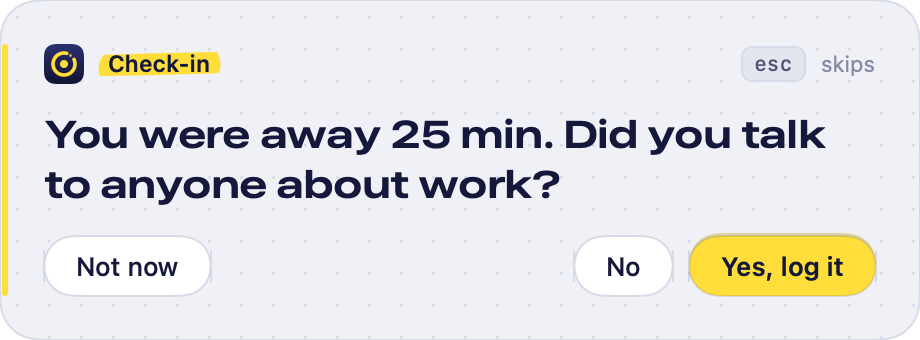
Impact Capture checks in at natural breaks: when you come back to your Mac after time away, and once at the end of the day. Never mid-flow, capped per day, and it backs off if you keep skipping.
-
It asks at a break
One small question, on every screen. Answer Yes or No, or skip with esc.
-
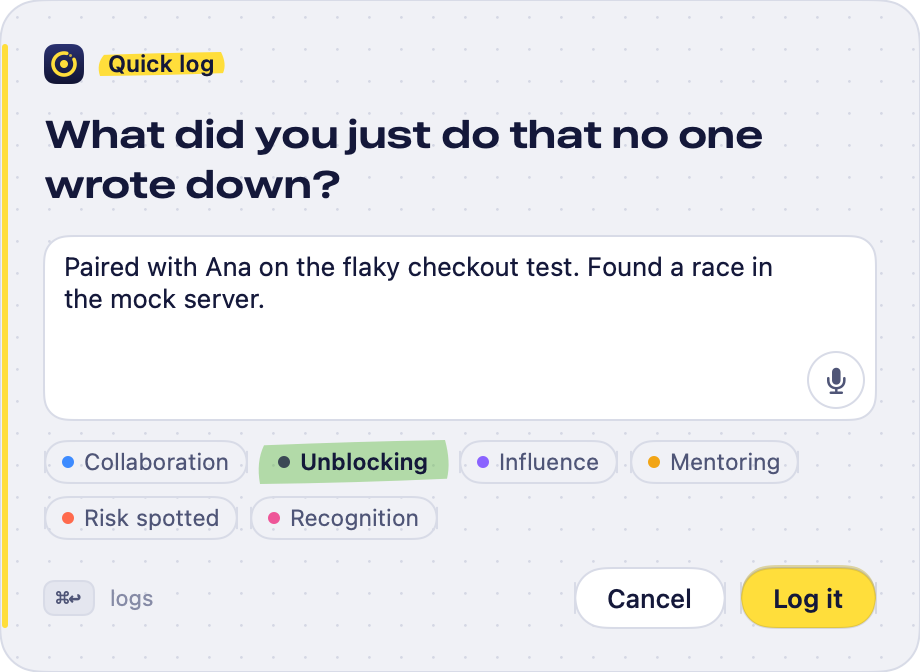
You talk or type
A sentence is plenty. Speech is transcribed on your Mac. Tag it if you like.
-
It lands in today's file
Added to one Markdown file per day, in a folder you pick.
### 11:15 · shortcut · typed · #unblocking

Paired with Ana on the flaky checkout test.
Found a race in the mock server.


Your week, one click away.
Click the menu bar icon to log something and scroll back through the day. Or press ⌃⌥L anywhere to type, ⌃⌥⌘L to talk.
- Categories that match how you're reviewed: unblocking, influence, mentoring, risk spotted.
- Edit or delete anything. The file changes with it.
- A streak and a week strip, so the habit sticks without nagging.

Review season in a minute.
Export the last two weeks, the quarter or the half as Markdown for your performance doc, a 1:1, or an AI tool. Settings has a ready-made prompt that turns captures into evidence.

Just text files.
Grep it, sync it, version it, read it in ten years. Each entry records when, how and why it was captured, and the question it answered.
2026-09-17.md# Impact captures — 2026-09-17 (Thursday)

### 10:42 · prompt · away-return · voice · #collaboration

> Q: You were away 25 min. Did you talk to anyone about work?

Coffee with Marco from Payments. We agreed to
split the migration into two PRs.
Nothing leaves your Mac.
Start your log today.
Setup takes a minute: pick a folder, choose how often it may check in, set your shortcuts.
brew install --cask frugoman/tap/impact-capture